

Tempo Cardinal - free flight motor timer for larger models
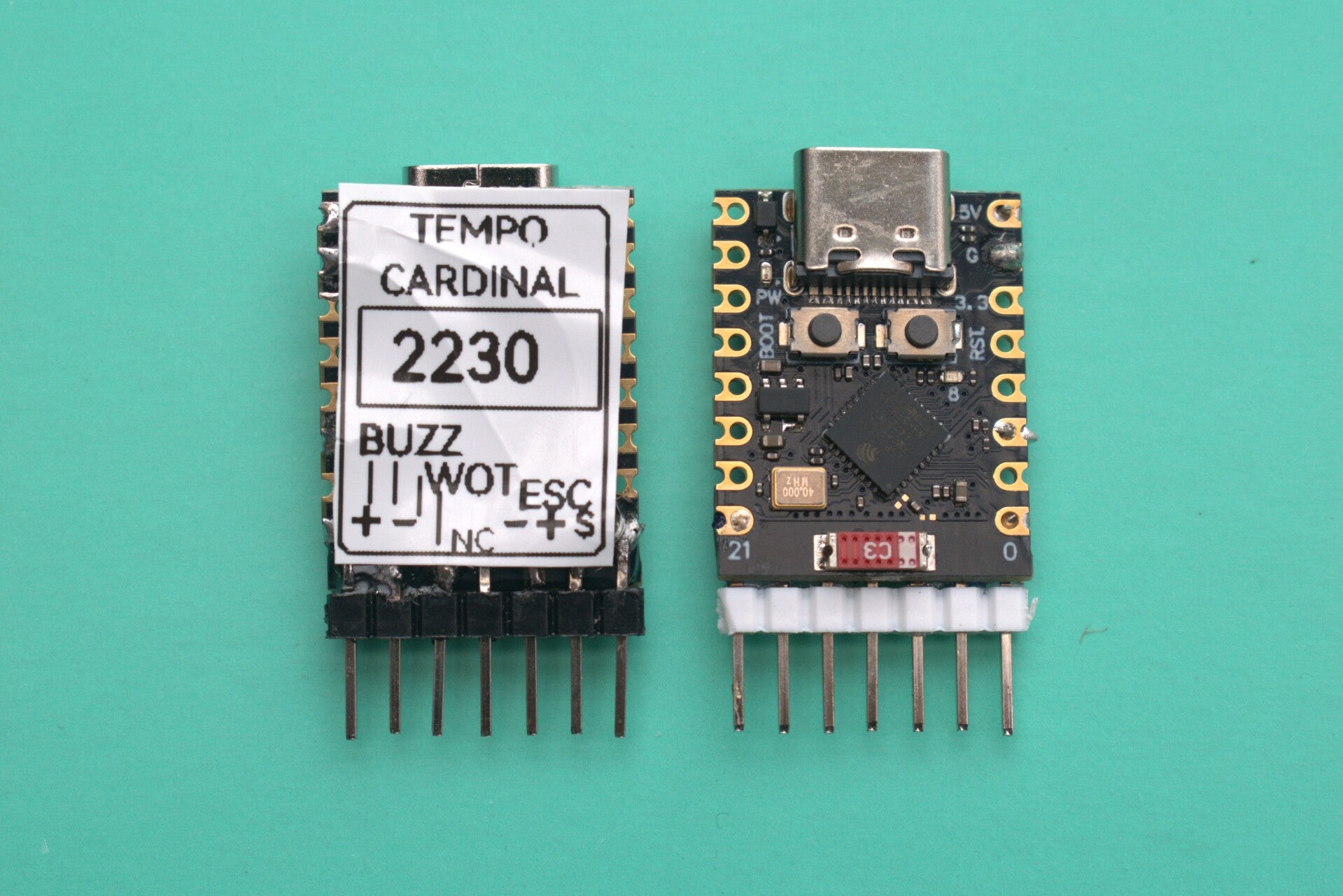
The Tempo Cardinal controls an Electronic Speed Controller (ESC) in models using 2-3s LiPo batteries. In effect, it replaces a conventional radio control receiver, allowing precise control over the motor power during (up to) 7 distinct flight phases. To use this device, you will also need either the Android app available here, or the dedicated programmer also available on this site - be sure to select the BLE programmer.
Precise motor control....
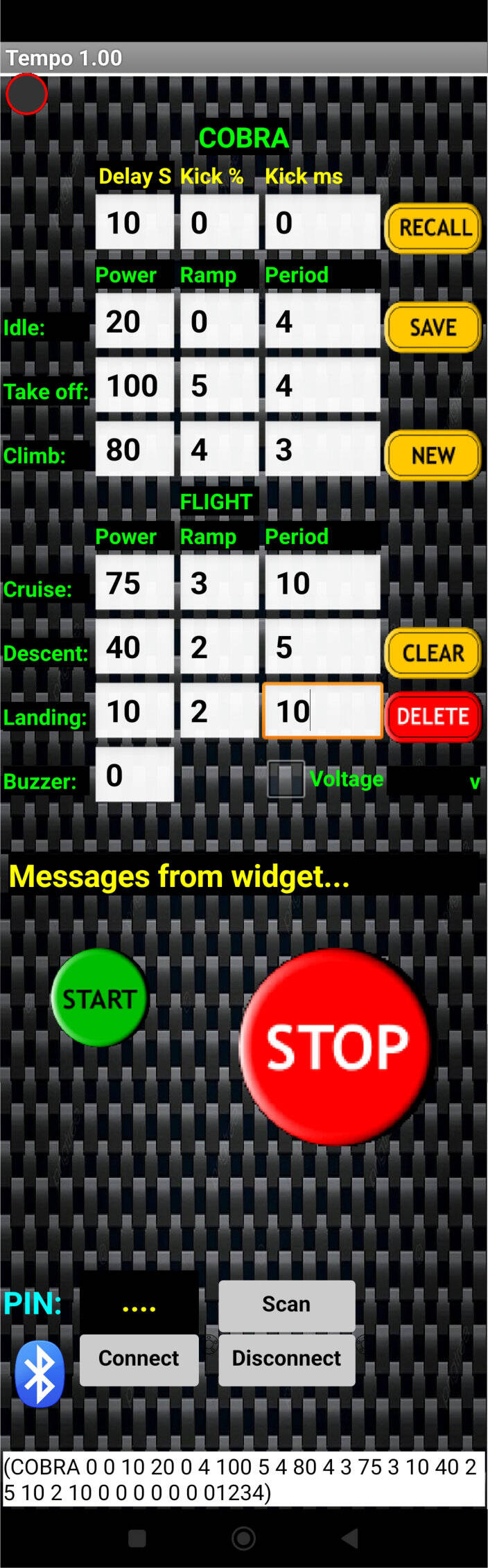
The Tempo Cardinal profiler allows the setting of up to 7 distinct flight phases by use of a separate programmer. This may be your own Android device or the dedicated programmer available here.
For each phase, you may set the power (0-100%), the time to runs at this power, and ramp - the time taken to reach this power setting from the previous phase - no more sudden power changes. Having entered these parameters, the information is transferred to the timer by the use of a Bluetooth Low Energy (BLE) wireless connection. This does not mean that you have control over the model whilst flying - it is still a 'free flight' model. However, if the model is still within range of the programmer (about 10 metres or so), you do have an 'emergency stop' button, to kill the motor.
The Tempo Cardinal is intended for larger, free flight model aircraft being flown outdoors. Although the BLE connection will be lost outside of 10m (approx), should the model be lost in long grass or similar, the BLE will always be attempting to reconnect. Upon connection, the app will alert you to the close proximity of the model, which may be covered nearby. Additionally, you may add a small buzzer module which will sound some time after a flight. This isn't exactly ear splitting ,but may hel you to locate your precious aircraft.
This timer requires the use of a separate electronic speed controller which has a BEC - the 5v output is used to power the Tempo, which simply connects to the normal throttle connector on the ESC.
Occasionally, a new ESC needs to be calibrated against the controlling device, and the Tempo Cardinal has a facility for carrying out this calibration process.
Typical usage...
Firstly, you would use the Android app or dedicated BLE programmer to enter values for up to 7 phases, eg:
Delay: 10 seconds (do nothing for 10 seconds after sending profile)
Idle: Take 2 seconds to run the motor up to 10% power, run at this for 5 seconds
Take Off: Take 3 seconds to ramp the motor up to 100% power, run at this for 3 seconds
Climb: Take 3 seconds to reduce motor speed to 80%, run for 4 seconds
Cruise: Take 3 seconds to reduce motor power to 60%, run for 10 seconds
Descend: Take 3 seconds to reduce motor power to 20%, run for 5 seconds
Landing: Take 3 seconds to reduce motor power to 10%, run for 4 seconds
All of the above are optional - you may have just a single phase of power, perhaps continuing the trimming process after test gliding.
With the Tempo installed in the model and powered up, a Bluetooth connection is established to the programmer. Clicking 'START' on the programmer uploads the profile to the model - after the set delay period, the Tempo will start the motor and run the above profile. If still in Bluetooth contact (range about 10m), clicking the large 'STOP' button will kill the motor run.
PIN protected...
Each Tempo Cardinal has a unique identifier code number - a PIN. This prevents another user with the programmer sending a power profile to your model. This PIN is entered on the programmer when defining a new model.
Other Information
The Tempo makes controlling the motor power of your free flight model very easy and precise. This is especially useful when moving from successful glide tests to powered flight, as you can dial in a short burst of power to extend a test glide, checking thrust lines etc. You may then gradually increase power and duration as required, knowing that each flight will be consistent - it's important to ensure that the battery is fully charged to get consistent results.
The Android app
This free to download Android app provides a programmer for the Tempo Cardinal. Using this, you may enter the power profile for any number of models and, when ready, transmit this data to the Tempo Cardinal hidden within the model. Once received, the Tempo will wait for the programmed delay before running this profile. The range of the Bluetooth connection isn't great - typically about 10m - but whilst still connected you may hit the 'emergency stop' button to kill the motor. When recovering the model from some distance, the app will try to automatically connect when it detects the model - useful for searching in the long grass!
Apologies to Apple users, but I'm unable to create applications for these. This is the reason for the creation of the BLE programmer, which does the same job as the Android app.
Lost model buzzer
An optional buzzer may be connected to the Tempo Cardinal and set to activate some time after a flight ends. It's not exactly ear-splitting, but may help to locate a model hiding behind a tussock (experience from our uneven flying patch!).
Specifications:
Tempo Cardinal Specifications:
Size:
Weight:
Voltage: 5v (supplied by ESC)